Project 02 — Infrastructure Automation

Ansible Infra
Automation

Cross-platform infrastructure automation across Ubuntu 24.04 LTS and Windows Server 2025 — hardening, user management, secrets encryption, and CI/CD via GitHub Actions. One command configures everything.

Ansible 2.16 Ansible Vault GitHub Actions Ubuntu 24.04 Windows Server 2025 WinRM Chocolatey UFW · fail2ban
↗ View on GitHub View Screenshots →
2
Servers Automated
3
Playbooks
19
Ansible Tasks
0
Failures · failed=0
What it does

Architecture Overview

🐧
Linux Server Hardening

UFW firewall rules, fail2ban intrusion prevention, SSH key-only auth, system package upgrades, and common tooling installation on Ubuntu 24.04 LTS.

🪟
Windows Server Setup

WinRM-based remote automation of Windows Server 2025 — user creation, firewall rules, IIS feature install, timezone config, and Chocolatey package management.

👥
User Deployment

Automated devops user and group creation with sudoers configuration on Linux — mirrors real-world onboarding automation used by infra teams.

🔐
Ansible Vault

Sensitive credentials encrypted with AES-256 Ansible Vault. Secrets never stored in plaintext — vault file committed safely to version control.

⚙️
Ansible Roles

Enterprise-grade role structure using ansible-galaxy — linux_base and windows_base roles for reusable, modular configuration management.

GitHub Actions CI

ansible-lint runs automatically on every push — enforcing FQCN standards, YAML formatting, and playbook syntax before any code reaches production.


How it was built

Project Phases

1
Phase 1
Ansible Setup + Cross-Platform Inventory

Installed Ansible 2.16 on Linux VPS. Created inventory file targeting both Ubuntu 24.04 (SSH) and Windows Server 2025 (WinRM/NTLM). Verified connectivity with ping and win_ping modules — both returned SUCCESS.

ansible-lint python3-winrm hosts.ini win_ping
2
Phase 2
Linux Hardening Playbook

Automated UFW firewall configuration (8 ports), fail2ban setup, SSH password auth disabling, package upgrades, timezone configuration, and common tool installation. All 8 tasks completed with zero failures.

UFW firewall fail2ban SSH hardening apt upgrade
3
Phase 3
Windows Server Automation

Configured Windows Server 2025 via WinRM — installed IIS and Telnet features, set timezone to UTC, created admin user, configured RDP firewall rule, and installed notepad++, 7zip, and git via Chocolatey.

WinRM win_feature Chocolatey win_user
4
Phase 4
Ansible Vault Secrets Management

Encrypted sensitive credentials (Windows user password) using AES-256 Ansible Vault. Vault file committed to git safely — only decrypted at runtime with --ask-vault-pass. Demonstrates security-first infrastructure practices.

AES-256 ansible-vault vars_files
5
Phase 5
Roles + Master Playbook

Structured project into ansible-galaxy roles (linux_base, windows_base) and a master site.yml that orchestrates all three playbooks in sequence — hardening Linux, configuring Windows, and deploying users — in a single command.

ansible-galaxy site.yml linux_base role windows_base role
6
Phase 6
GitHub Actions CI Pipeline

Automated ansible-lint runs on every push via GitHub Actions — enforcing FQCN module naming, YAML truthy value standards, and playbook syntax. CI passes cleanly with Status: Success on every commit.

ansible-lint FQCN enforcement ubuntu-latest runner

Infrastructure

Target Servers

Host OS IP Connection Status
linux_vps Ubuntu 24.04 LTS 1x1.x4x.1x2.1x SSH / Port 22 ping: pong
windows_vps Windows Server 2025 x7x.2x8.x3x.1x4 WinRM / NTLM / Port 5985 win_ping: pong
site.yml — master playbook execution
$ ansible-playbook -i inventory/hosts.ini playbooks/site.yml --ask-vault-pass
PLAY [Linux Server Hardening] ****************************
ok: [localhost] — 8 tasks, 0 failures
PLAY [Windows Server Base Configuration] *****************
ok: [windows_vps] — 7 tasks, 0 failures
PLAY [Deploy Users on Linux] *****************************
changed: [localhost] — group, user, sudoers created

PLAY RECAP ***********************************************
localhost : ok=12 changed=3 unreachable=0 failed=0
windows_vps : ok=7 changed=0 unreachable=0 failed=0

Evidence

Project Screenshots
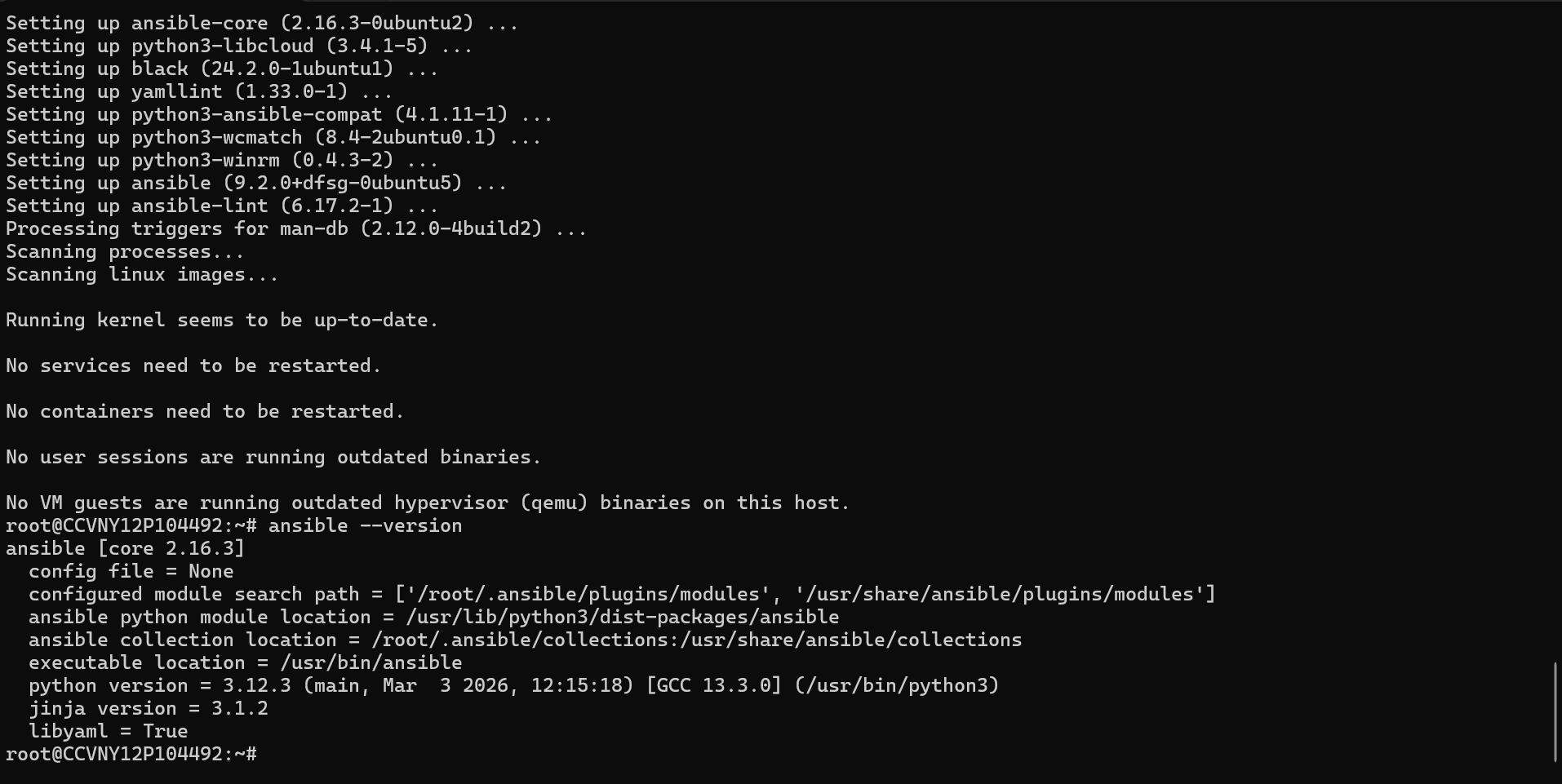
ansible --version
Ansible version output
// 01 — Ansible 2.16.3 installed on Ubuntu 24.04 LTS
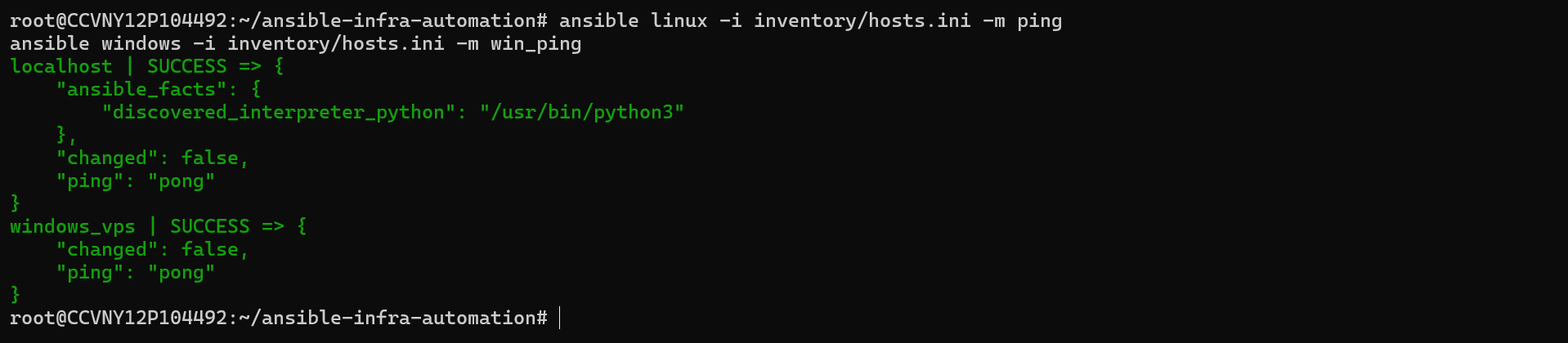
ping + win_ping
Cross-platform connectivity test
// 02 — Both Linux and Windows respond SUCCESS
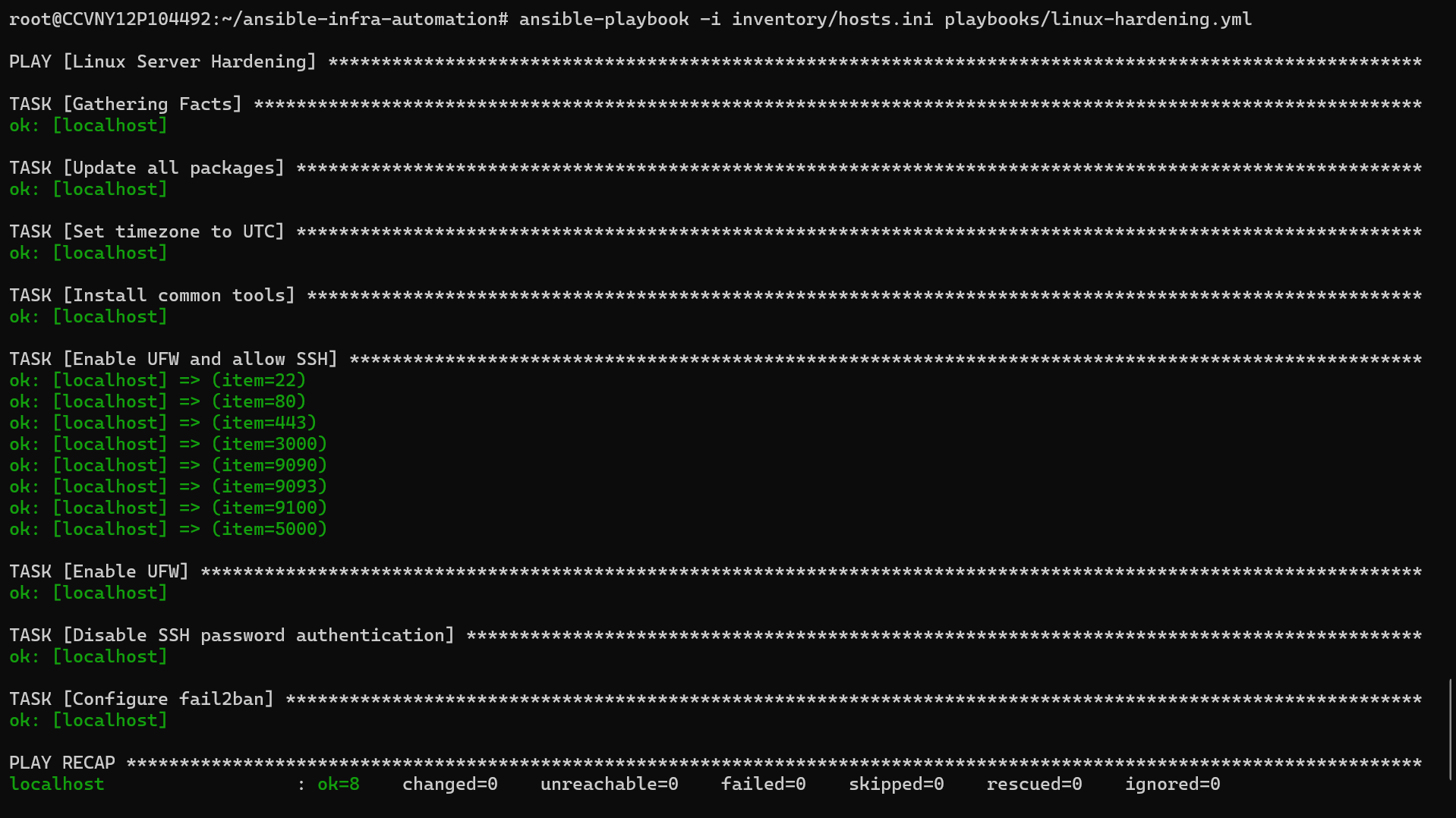
linux-hardening.yml
Linux hardening playbook run
// 03 — Linux hardening playbook: ok=8 changed=0 failed=0
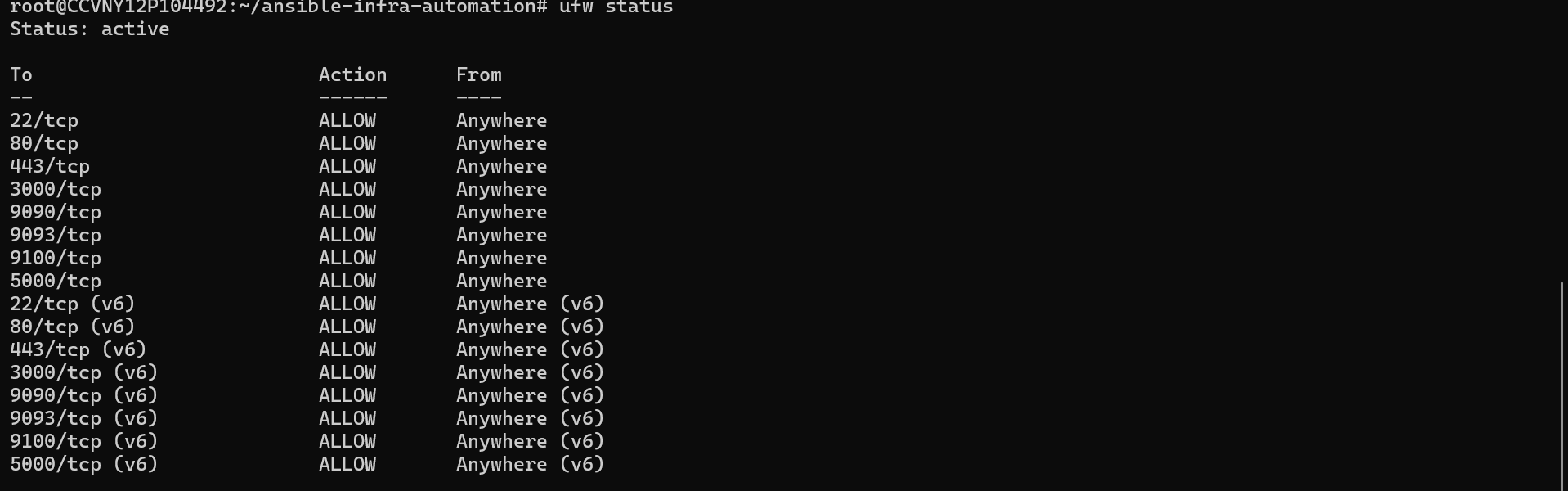
ufw status
UFW firewall status
// 04 — UFW active with all required ports allowed
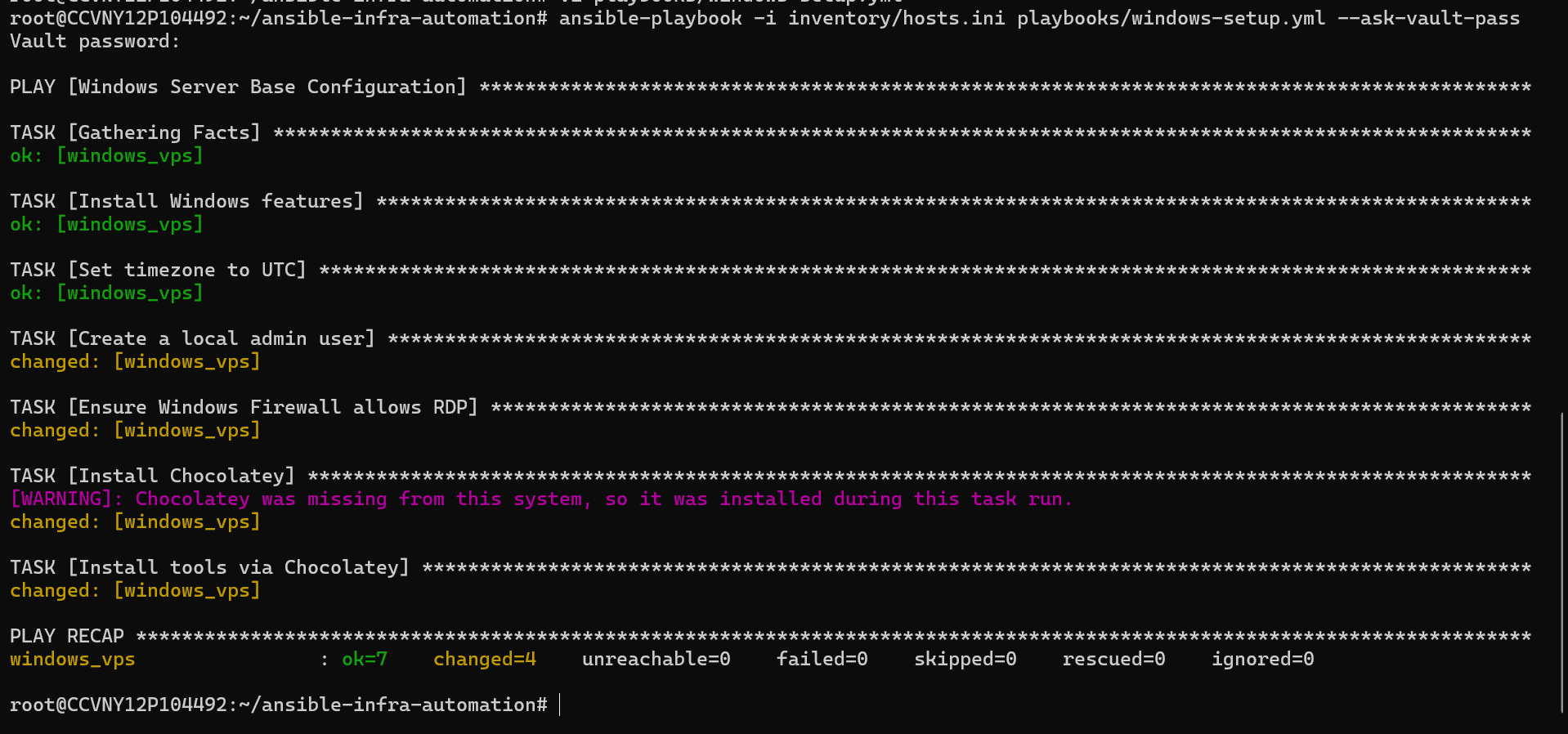
windows-setup.yml
Windows playbook run
// 05 — Windows playbook: ok=7 changed=4 failed=0

vault/secrets.yml
Ansible Vault encrypted file
// 07 — AES-256 encrypted vault — secrets never in plaintext
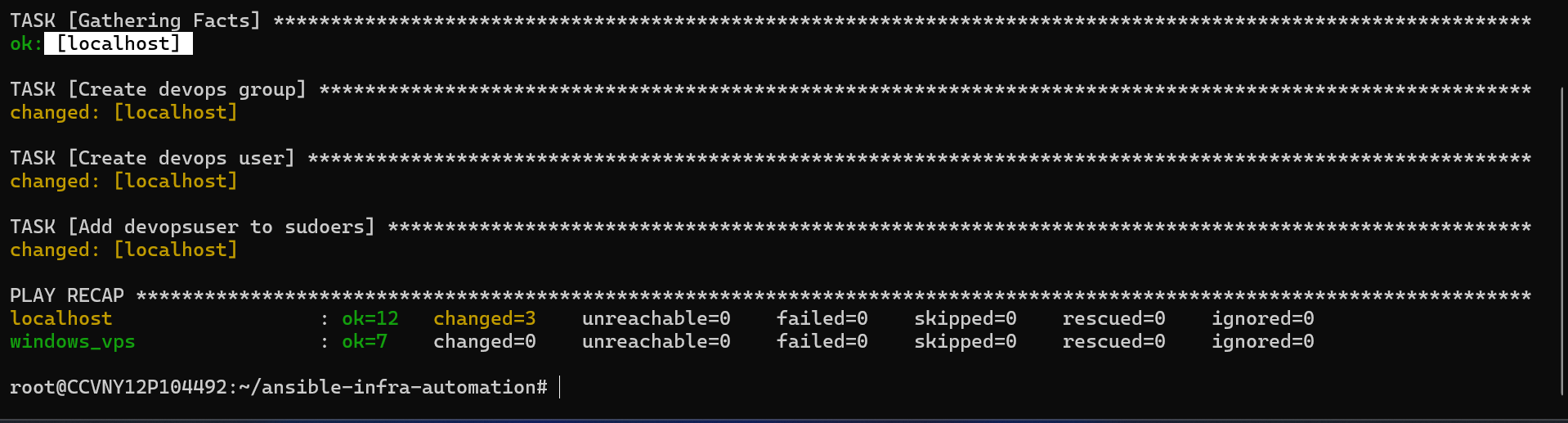
site.yml — master playbook
Master playbook PLAY RECAP
// 08 — Master run: localhost ok=12 + windows_vps ok=7 — both servers automated in one command
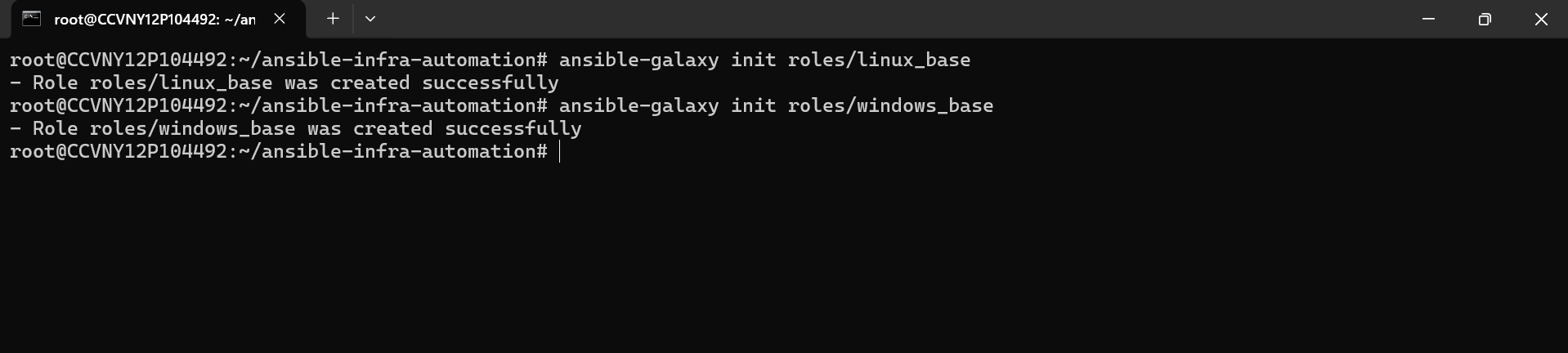
ansible-galaxy init
Ansible roles created
// 06 — Enterprise role structure: linux_base + windows_base
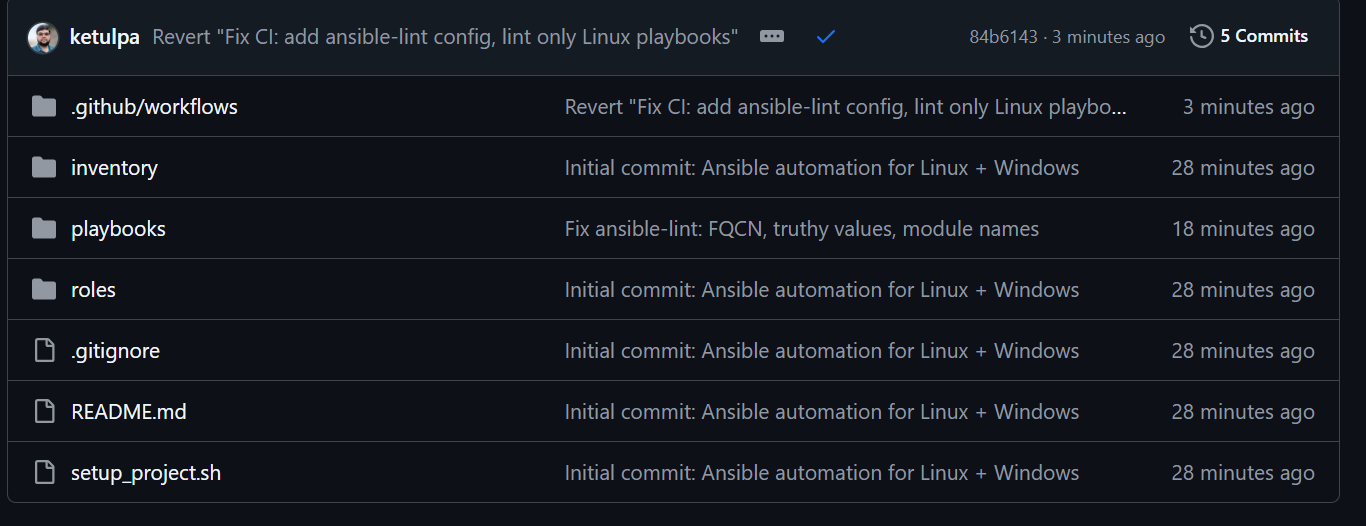
GitHub repo structure
GitHub repo folders
// 10 — Clean repo structure: inventory, playbooks, roles, vault, CI